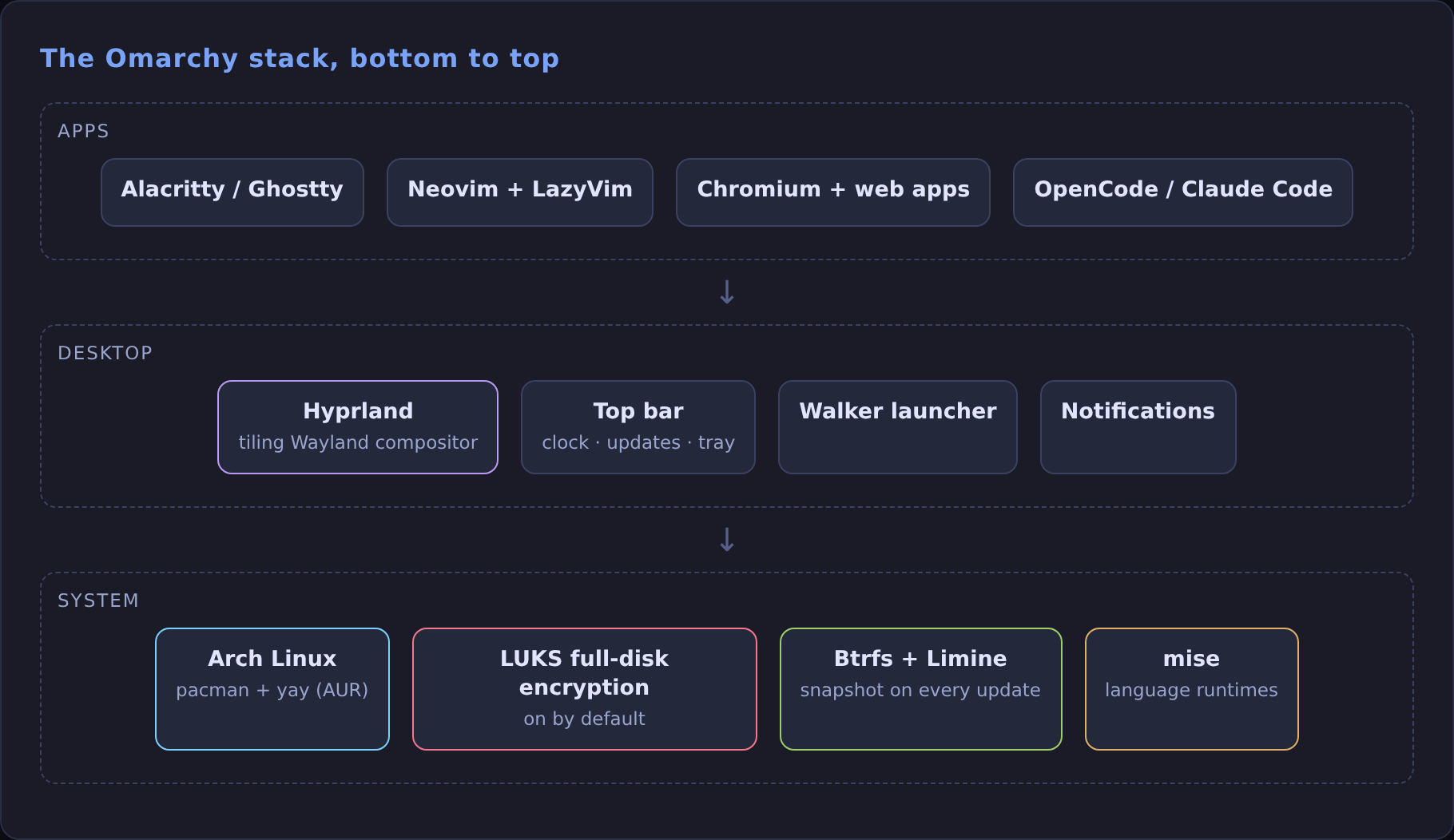
Omarchy is DHH's opinionated Arch Linux setup: Hyprland as a tiling window manager, a themed terminal and Neovim, and every keyboard shortcut already decided for you. It's what my laptop runs, and it's where my local AI stack (Ollama and OpenClaw over Telegram) lives.
This is the setup as I'd do it again, in order.
Before you start
- Use a dedicated drive. The installer wipes the disk you pick and sets up full-disk encryption. Dual-booting on one drive needs the manual install route.
- Turn off Secure Boot (and TPM if your BIOS ties them together). The installer won't boot otherwise.
- Have a wired or 2.4 GHz keyboard. You type the disk password before Bluetooth exists, so a Bluetooth-only keyboard can't unlock the machine.
- Back up anything on that drive. It will be gone.
1. Flash the ISO and install
Download the ISO from omarchy.org, write it to a USB stick (balenaEtcher on Windows/Mac, caligula on Linux), and boot from it.
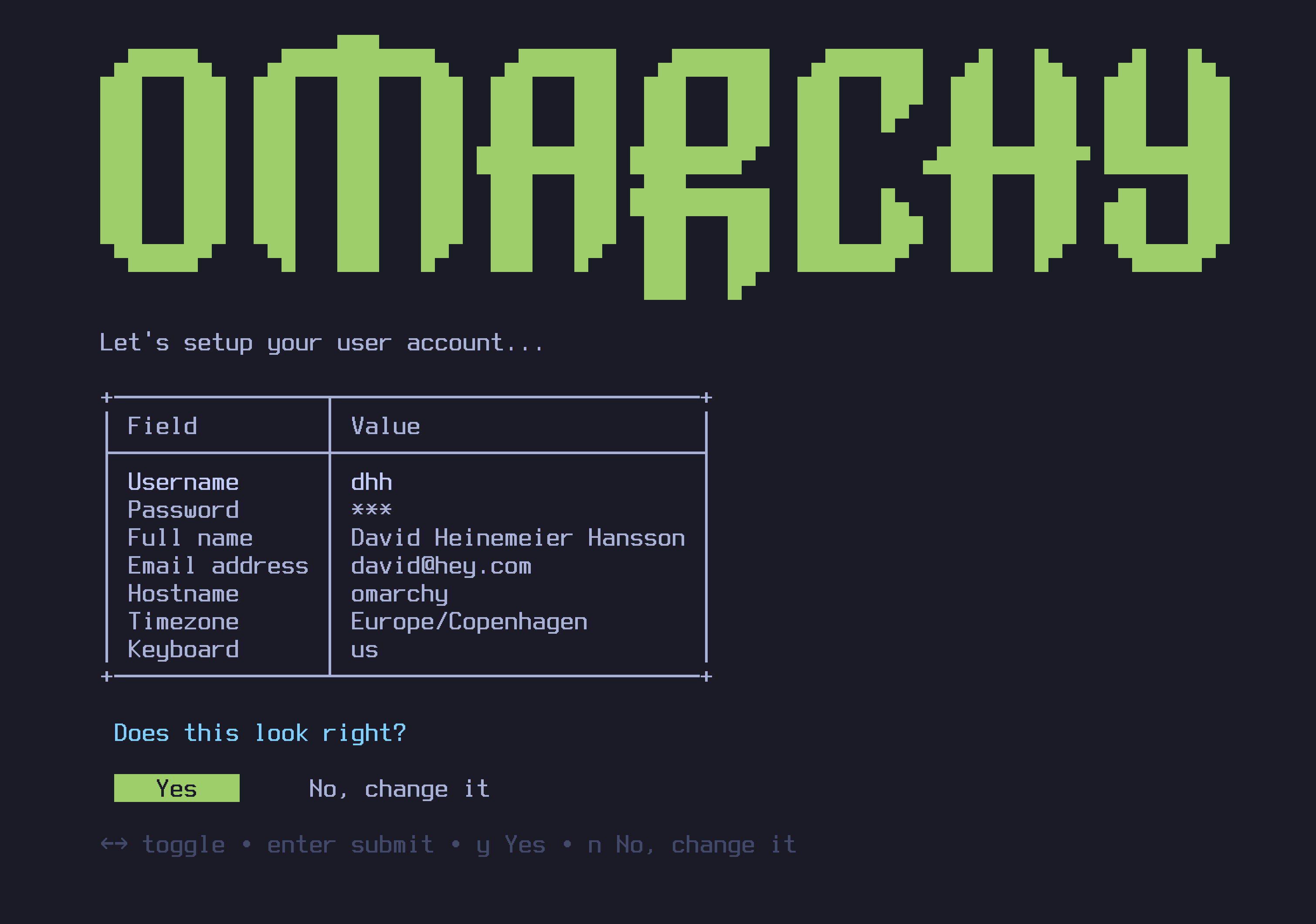
The installer asks a handful of questions: keyboard layout, username, password, hostname, timezone. Confirm them, pick the drive, and wait 2 to 10 minutes.
2. Learn these shortcuts on day one
Everything in Omarchy is a keystroke. You don't need all of them; you need these, and Super + K shows the rest whenever you forget.
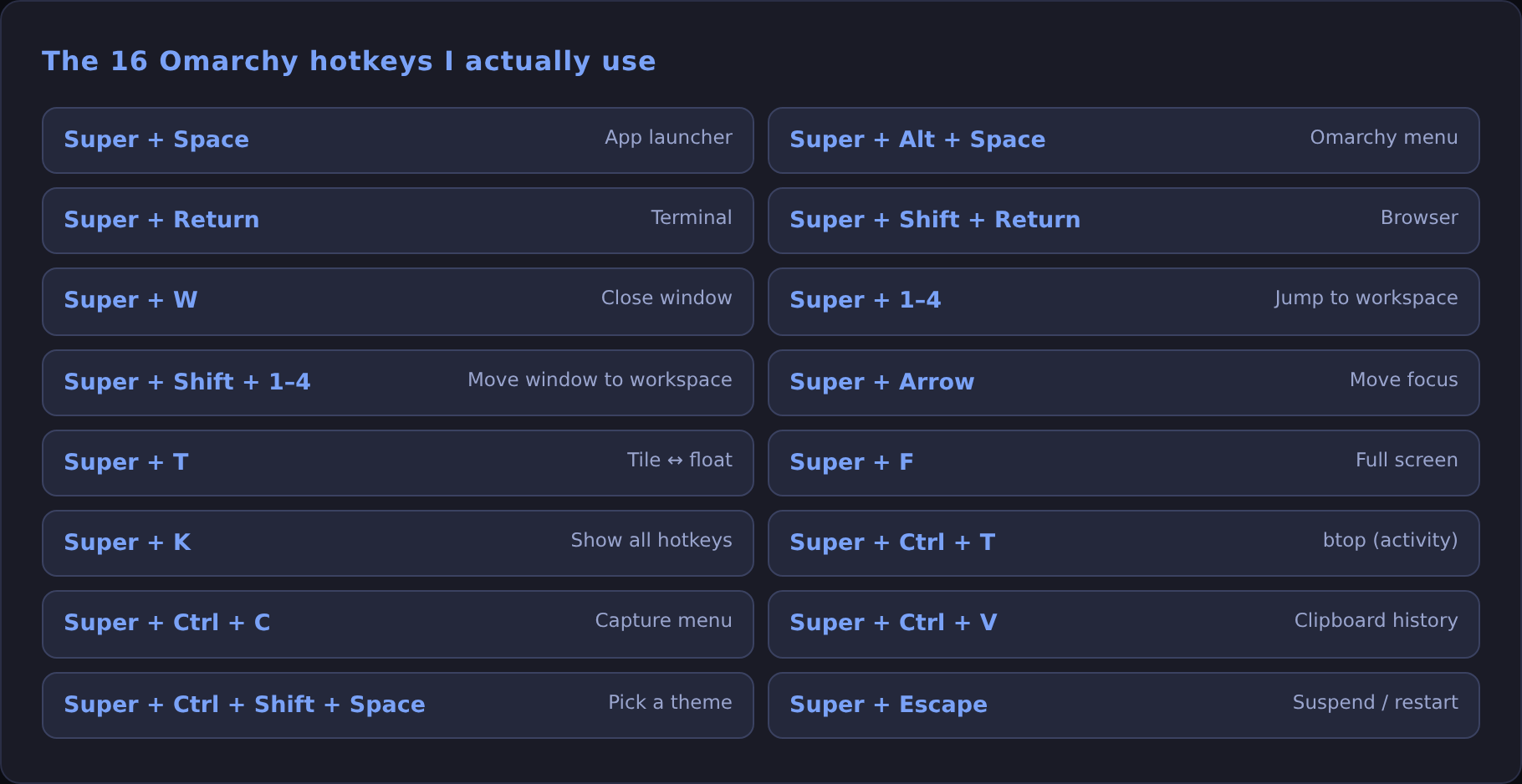
~/.config/hypr/bindings.conf.The two that change how you work: Super + Alt + Space opens the Omarchy menu (install apps, change themes, update), and Super + 1–4 jumps between workspaces. I keep the editor on 1, browser on 2, terminals on 3 and chat on 4.
3. Update the Omarchy way
Don't reach for pacman -Syu out of habit. Use Update > Omarchy in the menu (or omarchy update in a terminal). It pulls new configs and runs migrations together with the package upgrade, so a new library version doesn't arrive without the config change it needs.
Every update takes a Btrfs snapshot first. If something breaks, reboot, pick the pre-update snapshot in the Limine boot menu, and restore.
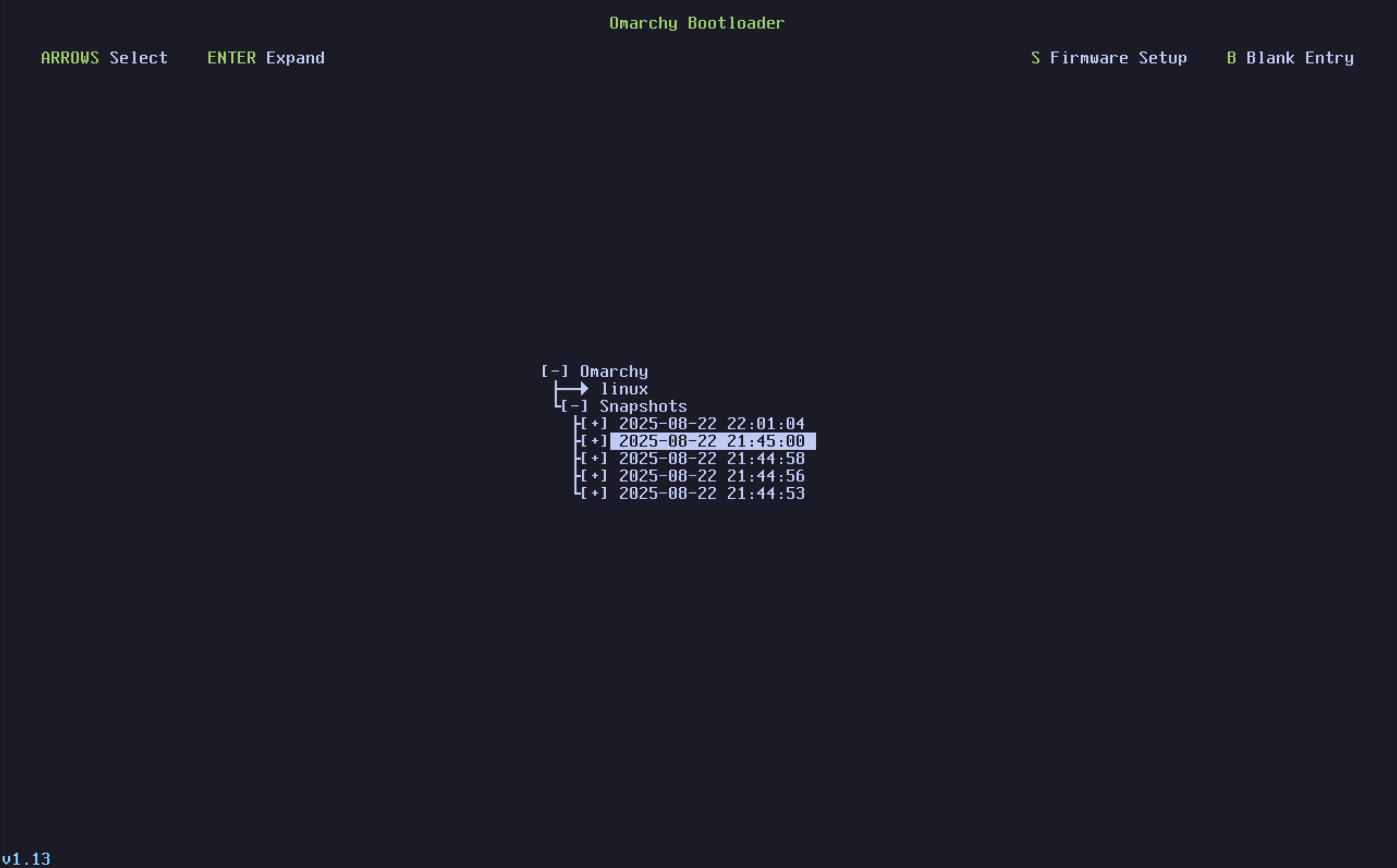
One catch: snapshots restore the system, not /home. They won't bring back a deleted file, so keep real backups too. You can take one by hand before a risky change:
4. Set up the dev tools
Omarchy already ships Neovim (LazyVim), Docker, mise for language runtimes, and AI coding CLIs (c opens OpenCode, cx opens Claude Code). What I add on top:
The omarchy command is worth a look too. Run it with no arguments to see every helper the menu uses (themes, fonts, screenshots, debug info). It's also what makes Omarchy easy for an AI agent to configure.
5. Make it yours, safely
- Configs live in
~/.config(Hyprland, Waybar, terminal, Neovim). Edit there, not in the Omarchy source. - Try themes with
Super + Ctrl + Shift + Spacebefore you start editing colours by hand. - If you wreck your configs,
omarchy reinstallresets them to the current release. It overwrites your changes, so commit~/.configto a dotfiles repo first.
What I'd tell myself before installing
- Give it a week. Tiling feels slow for two days and then you can't go back.
- Learn
Super + K. It answers most questions. - Update through the menu, and trust the snapshots.
- Put local AI on it. Next up: running models with Ollama.